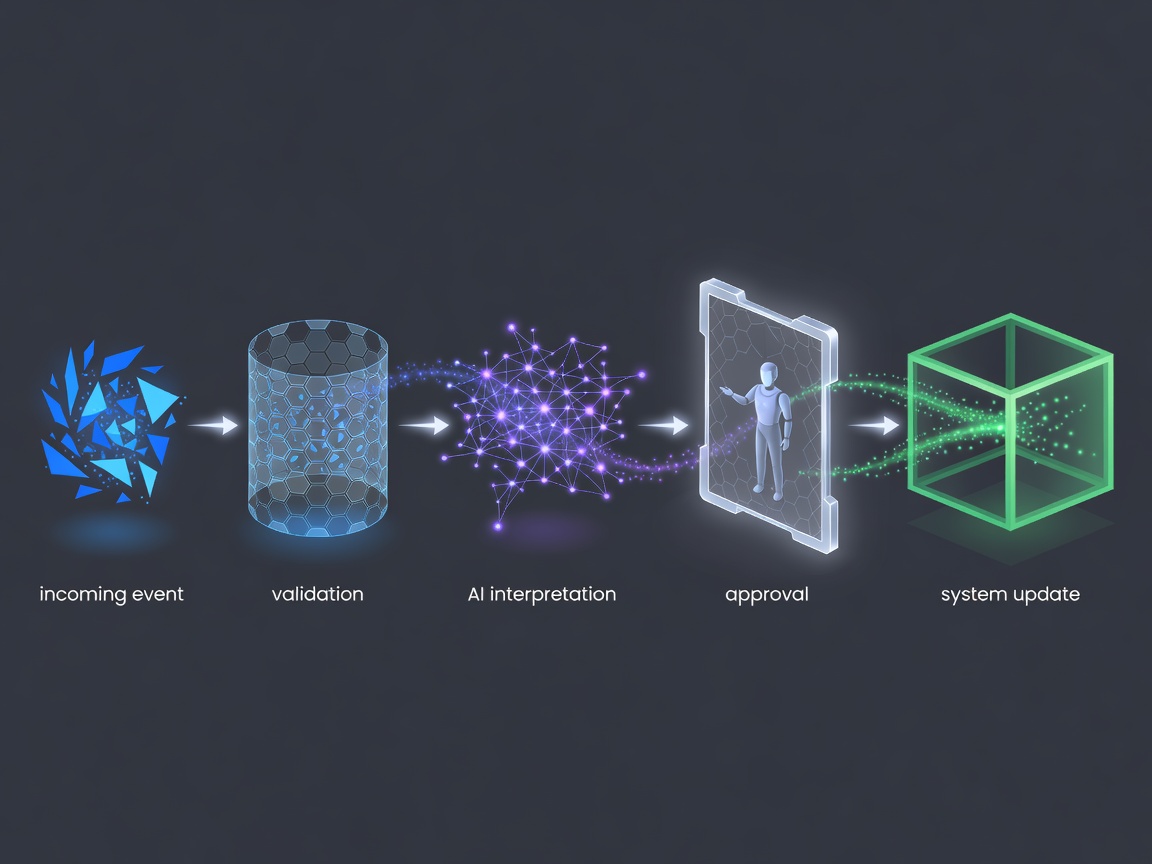
1. Define the trigger and destination
A trigger is the event that starts a workflow: a new support message, an uploaded file or a scheduled check. An application programming interface, usually shortened to API, lets software exchange requests and responses. A webhook sends a notification when an event occurs. Identify which mechanism the source system supports before designing the connection.
Write down the intended destination and the permitted change. Creating an internal draft is different from sending an email, changing a customer record or approving a payment. Give each action an owner. If a task can be completed through a read-only connection, do not grant write access simply because an integration makes it convenient.
2. Keep rules separate from interpretation
Use normal code for calculations, mandatory fields, duplicate checks and fixed routing. Use AI where the input genuinely needs interpretation, such as distinguishing the subject of a free-text request. Ask the model for a constrained output and validate its structure before any subsequent step. A plausible sentence is not an instruction your systems should automatically obey.
Microsoft Power Automate, n8n and custom code represent different ways to construct integrations. Compare connector support, deployment arrangements, credential handling, version control and the ability to inspect failures. A visual workflow can be easier to review, while custom code may offer finer control over specialised behaviour. Check the documentation and licence terms for the particular deployment being considered.
3. Put consequential actions behind approval
Human approval means a person can inspect the proposed action before it happens, not merely receive a notification afterwards. Show the original request, the records consulted and the intended change. The reviewer should be able to edit, reject or return the item for clarification. Record the approval separately from the model’s recommendation.
Treat incoming text as untrusted. Prompt injection occurs when content tries to redirect an AI system away from its intended instructions. A message that tells an assistant to reveal credentials or ignore a policy must not gain authority because it appears in a document. Restrict tools, validate destinations and avoid giving the model direct access to secrets.
4. Design for repeated and failed events
Systems can deliver the same event more than once. Idempotency means that repeating an operation does not create an additional unintended effect. Store a stable event identifier and check whether the relevant action has already completed. This matters particularly when creating records, sending messages or updating a system that cannot easily undo a change.
Separate temporary failures from invalid inputs. A timed-out API request may justify a controlled retry; a missing customer identifier usually needs review. Keep unsuccessful items in a visible queue rather than silently discarding them. Define who receives an alert, what information it contains and how they resume or cancel the work without duplicating an action.
5. Evaluate the complete workflow
Test the connection from trigger to final record, not just the model’s response. Include permissions failures, unavailable services, changed field names, duplicate events and unexpected text. A workflow that produces a correct classification but writes to the wrong account has failed. Acceptance should consider the whole business operation and the ability to recover from an error.
Logs should explain what happened without copying unnecessary personal information. Record action identifiers, relevant status and approval decisions. Set retention and access rules before deployment. Usage cost, response time and review effort are useful operating measures, but their acceptable levels depend on the process and should be agreed rather than borrowed from a generic target.
6. Assign an operating owner
Automation requires maintenance when connected systems, permissions or business rules change. Agree who owns credentials, investigates failures and approves revisions. Provide a pause mechanism that stops new actions without losing the pending work. Document how to restore the manual process if the integration becomes unavailable or its output is no longer dependable.
A commissioning brief should list the systems, triggers, authorised actions, approval rules and expected handover material. Useful references include Microsoft’s Power Automate documentation, n8n’s documentation and OWASP’s guidance on risks in large language model applications. These are reference sources, not endorsements or a promise that a particular tool fits your process.